Skip to content
Free Invoice Generator Pricing
Features
Invoicing Payments Inventory Reports
Resources
Business Academy Starting a business Growing a business Help Center
Company
About Contact Mobile app
Account
Login Sign up free

Invoice Format: Free GST Tax Invoice & Bill Format in Excel, Word & PDF

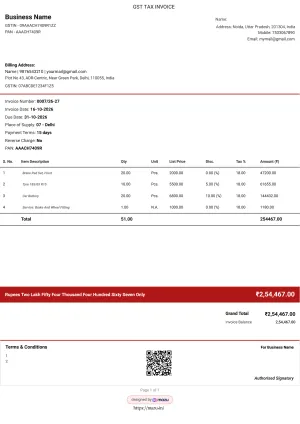
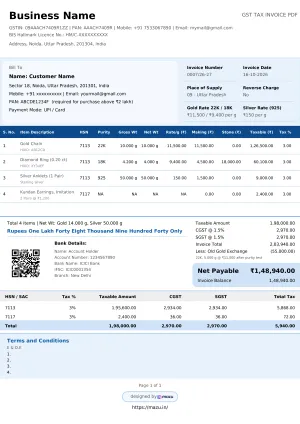
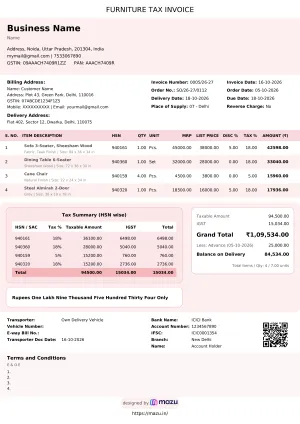
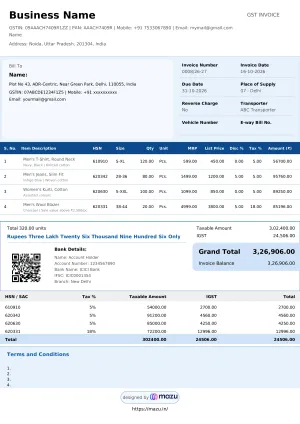
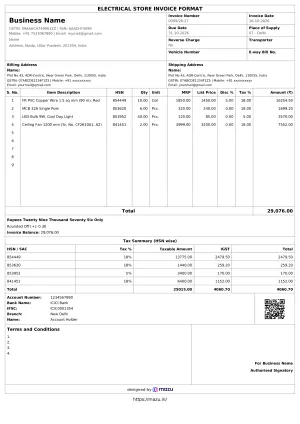
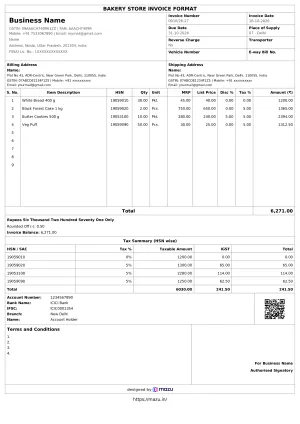
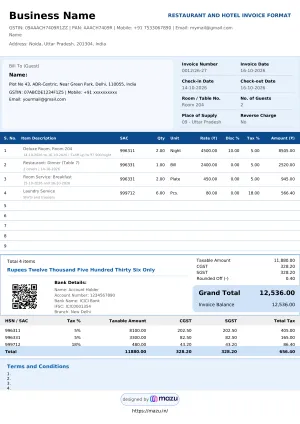
Download free invoice formats, bill templates, and professional invoice designs in Word, Excel, and PDF. Everything is ready to customise and share, whether you need a GST bill format, a simple invoice template, or a detailed bill format. Easy to edit, fully printable, and perfect for every business need.

11 ready-made formats below, free to download.
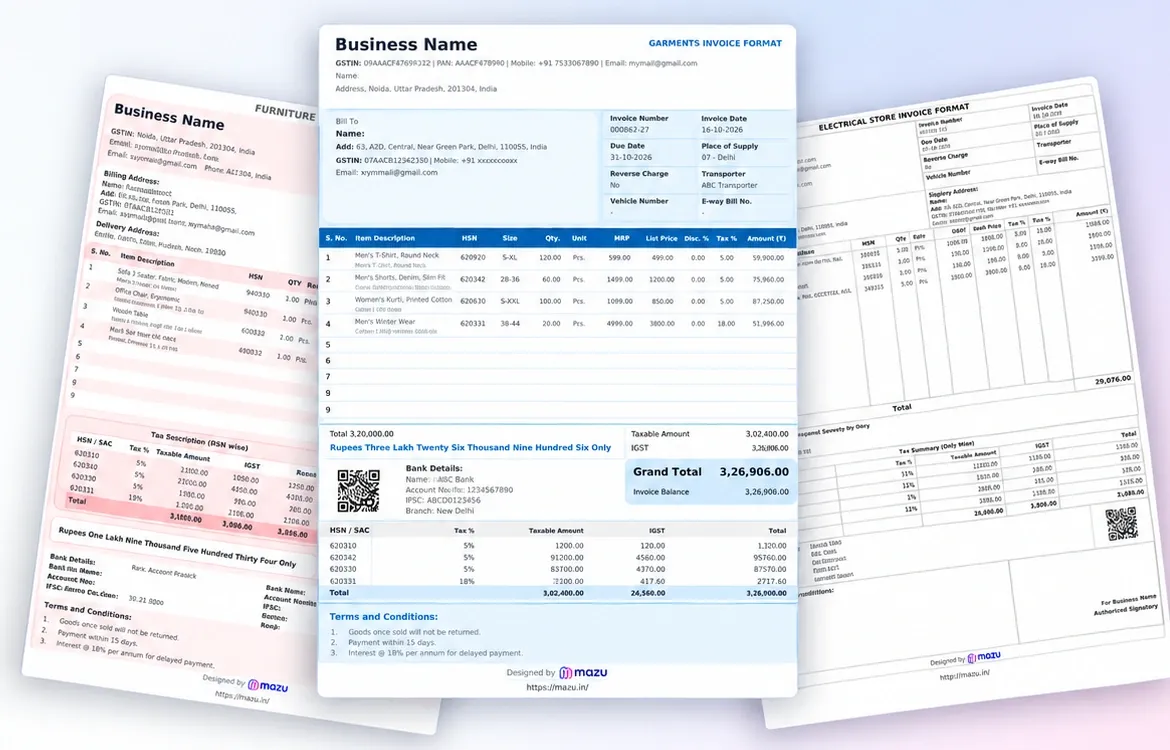
gst invoice format in word, excel, pdf

Why use mazu instead of Excel or Word invoice templates

Discover the more innovative way to create an invoice with mazu. Whether you prefer downloading ready-made formats or using customisable templates, mazu allows you to bill fast, free, and professionally.

Free Invoice Generation

Create unlimited GST invoices in the mazu app, free to start.

Multi-Industry Use

Bill formats for retail, restaurants, transport, jewellers, garments and more.

Multiple Invoice Formats

Every template comes in Excel, Word and PDF, so you can edit it your way.

Instant Customisable Invoice

Add your logo, terms and bank details; the format stays GST-ready.

Print & Share in Seconds

Send on WhatsApp or email, save as PDF, or print and hand it over.

Smart Billing with Autofill GSTIN

Enter a GSTIN and let mazu fill in the party details for you.

Safe & Secure

Sign in with OTP; every invoice is saved to your mazu account.

Track Payments Easily

See received, outstanding and partially paid amounts at a glance.

Free GST invoice & bill formats by industry (Excel, Word, PDF)

Download, Edit, and Share Invoices in Excel, Word, PDF - Absolutely Free!
Auto GST & HSN, no formulas
Your logo, no watermark
Share on WhatsApp in a tap
Track payments automatically

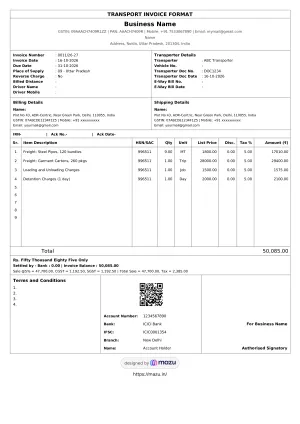
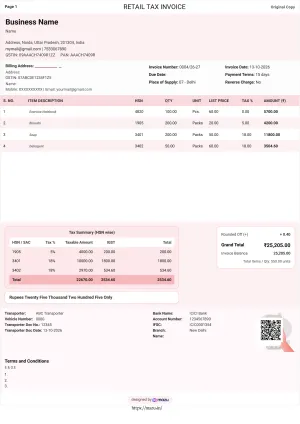
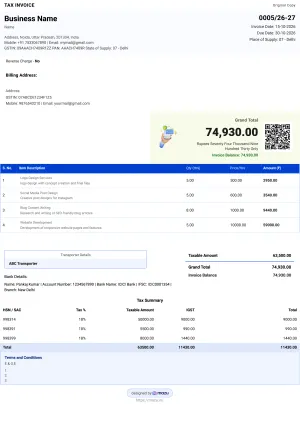
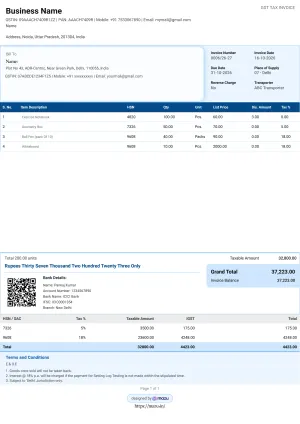
What a GST tax invoice must include

Use any format you like. Just make sure these fields are on it to stay compliant.

Supplier detailsName, address & GSTIN of your business.
Invoice number & dateA unique, sequential number and the issue date.
Recipient detailsCustomer name, address & GSTIN if registered.
Place of supplyDecides whether IGST or CGST+SGST applies.
HSN / SAC codesClassifies each product or service for tax.
Item description & quantityWhat's sold, how much, and the unit.
Taxable valueAmount on which GST is calculated, after discounts.
GST rate & amountCGST, SGST, IGST or cess, and the tax charged.
Reverse chargeWhether the buyer is liable to pay the tax.
SignatureA physical or digital signature of the supplier.

Create GST invoices online instead of editing files

A template is a great start. mazu handles GST maths, shares on WhatsApp, and tracks who has paid. Free to begin.

Loved by businesses across India.

Trade services
"My wife stopped chasing the money."

I send the bill from my phone, the customer pays on UPI before I pack my tools, and the receipt is on their WhatsApp.

Suresh K. AC technician · Pune
Retail
"I know in two seconds."

800 SKUs across three racks. Every sale updates the stock on my phone. When a customer asks if I have that black kurta in small, I know in two seconds.

Meena A. Garment store owner · Jaipur
Freelancer
"It paid for itself in one recovered invoice."

The invoices look like my brand, the reminders go out without me writing anything, and my clients respect the professionalism.

Aditya S. Brand designer · Bengaluru

Feedback from early users · Names abbreviated for privacy

GST invoice format FAQs

What is an invoice?

An invoice is a document issued by a seller to a buyer that lists the products or services provided, their prices, applicable taxes, and the total amount due. It serves as a payment request and a legal record of a transaction.

What are the different types of invoices?
  • GST Invoice:- Businesses registered under GST issue a GST invoice when selling goods or services. It includes the buyer's and seller's GSTIN, invoice number, date, item details, HSN/SAC code, tax rates (CGST/SGST/IGST), and the total payable amount. This format is mandatory for B2B transactions in India.
  • Proforma Invoice:- A proforma invoice is a preliminary document shared before the actual sale. It outlines product or service details, pricing, and terms but is not a legal invoice. It's commonly used to help customers make informed decisions or to initiate payment or import procedures.
  • Tax Invoice:- This is used when a taxable sale is made. It contains tax components and is issued to claim the input tax credit. A tax invoice typically includes all mandatory fields, such as supplier and buyer details, invoice number, itemised list, and applicable taxes.
  • Retail Invoice:- A retail invoice is generated for direct-to-consumer sales (B2C). It may or may not show GST separately and usually includes basic details like product name, quantity, price, and total amount. It's primarily used in shops, supermarkets, and service counters.
  • Cash Invoice:- A cash invoice is issued immediately after the payment is made in cash during the transaction. It's a quick, simplified document used by local retailers and small vendors, often for walk-in customers.
  • Payment Receipt Invoice:- This document confirms that payment has been received. It includes the amount paid, the mode of payment, the transaction date, and the invoice number to which it corresponds. It's helpful for both businesses and customers as proof of payment.
  • Export Invoice:- Export invoices are used when selling goods or services internationally. This format includes details like buyer and seller country, currency, port of shipment, product description, quantity, price, terms like FOB or CIF, and other customs-related information.
How do you make a free invoice with mazu?
  1. Login or Sign Up: Go to app.mazu.in and log in using your email or mobile number. If you're a new user, sign up to get started.
  2. Go to Sales: Click on the "Invoices" section from the left-hand menu.
  3. Create a New Invoice: Tap the + button at the screen's bottom-right corner.
  4. Add Party: Select a party from the dropdown list or create a new one.
  5. Add Items: You can choose items from your list or manually enter their details, including quantity, rate, and applicable tax.
  6. Add Bill Sundry: Include any additional charges, discounts, or taxes as required.
  7. Settlements: Enter the payment amount received for this invoice.
  8. Preview & Send: Check the invoice preview, then share it via Email, WhatsApp, or print it. You can also download it as a PDF
Why use a standard GST invoice format?

A well-structured invoice format ensures:

  • Clear communication of charge
  • Faster payments
  • Better brand impression
  • Easy tax filing and compliance
  • Reduced errors in billing
What is essential when creating a professional GST Invoice Format?

Key elements include while creating GST Invoice Format:

  • Name and Address of the Supplier – Identifies the business or individual issuing the invoice.
  • GSTIN of the Supplier – The supplier's registered GST number is used for tax reporting and compliance.
  • Unique Invoice Number – A sequential and unique number assigned to each invoice for easy tracking.
  • Date of Issue – The date on which the invoice is generated and shared with the buyer.
  • Name and Address of the Recipient – Specifies the details of the customer or buyer receiving the goods or services.
  • GSTIN of the Recipient (if registered) – The buyer's GST number is needed to claim input tax credit.
  • Delivery Address – The location of the goods or services, if different from the billing address.
  • HSN Code – Harmonized System of Nomenclature code that classifies the goods or services for tax purposes.
  • Description of Goods or Services – Mentioning what is being sold, including product or service names.
  • Quantity or Unit – Indicates the number or measurement of goods or services provided.
  • Total Value – The full price of the goods or services before applying any taxes.
  • Taxable Value – The amount on which GST will be calculated after deductions or discounts.
  • Rate of Tax (CGST, SGST, IGST, Cess) — The applicable GST rates depend on the nature of supply and location.
  • Amount of Tax – The exact tax amount charged under each GST component.
  • Place of Supply — This is important for determining whether IGST or CGST/SGST applies to inter-state or intra-state transactions.
  • Reverse Charge Applicability – Indicates whether the buyer, instead of the seller, is liable to pay the tax.
  • Signature of the Supplier – A physical or digital signature that authenticates the invoice and confirms its legitimacy.
How do you write a sample invoice?

Start with your business details at the top, add the customer’s information, and include the invoice number and date. List items with prices and taxes. Add the total payable amount and payment terms. Use tools like mazu to simplify the process.

How do I make a compact invoice with all the details?

Use a compact invoice format with essential fields like item name, quantity, rate, total, GST, and contact info. You can use free Word, Excel, or PDF templates available on mazu to create detailed yet minimal invoices in seconds.

What is the difference between a proforma invoice and a regular invoice?

A proforma invoice and a regular invoice may look similar, but they serve very different purposes in business transactions.

  1. Purpose and Timing
    • A proforma invoice is like a quote or estimate. It’s issued before a sale is confirmed to give the buyer an idea of the prices, items, and terms.
    • A regular invoice, on the other hand, is issued after the goods or services have been delivered. It's a formal payment request.
  2. Legal Validity
    • A proforma invoice is not legally binding. It doesn’t mean the buyer has to pay—it’s just for reference.
    • A regular invoice is legally binding. It acts as proof of the sale and is used for accounting and tax purposes.
  3. Use in Accounting
    • A proforma invoice is not recorded in the business’s official accounts because no payment is expected yet.
    • A regular invoice is recorded as part of the business’s income and the buyer’s payable accounts.
  4. Details Included
    • A proforma invoice usually includes estimated quantities, prices, and terms. It may not have an invoice number.
    • A regular invoice includes exact details—invoice number, payment terms, tax, and total payable amount.

Here, you can view a detailed summary of all the invoices you have created, including amounts received, outstanding dues, and partially paid transactions from vendors and customers.

How do I make a GST invoice in Excel?
  1. Open the Excel format that matches your business and save a copy under a new name.
  2. Fill in your business name, address and GSTIN at the top.
  3. Enter the invoice number and date. Keep numbers in sequence and don't reuse them.
  4. Add your buyer's details, and their GSTIN if they have one.
  5. List each item with its HSN or SAC code, quantity, rate and GST rate.
  6. Check the tax split: CGST and SGST for a sale within your state, IGST for a sale to another state.
  7. Add your bank details and terms, then save it as a PDF before you send it so nobody can edit the numbers.
What is the difference between a tax invoice and a bill?

A tax invoice is the GST document. A registered seller creates it when they make a sale, and it has the seller's GSTIN, the HSN or SAC code, the taxable value and the CGST, SGST or IGST charged. That is why a registered buyer can claim input tax credit on it.

"Bill" is just what most people call any sales document, like a shop bill or a cash memo. GST law does not treat it as a thing. The difference that actually matters is tax invoice versus bill of supply.

What details must a GST tax invoice contain?

Rule 46 of the CGST Rules tells you what must be included on a tax invoice. In plain terms, here's what you need:

  • Your name, address and GSTIN
  • An invoice number in running sequence, up to 16 characters long (letters, numbers, hyphens and slashes are allowed)
  • The date of the invoice
  • The buyer's name and address, plus their GSTIN if they are registered
  • For each item: a description, HSN or SAC code, quantity and unit
  • The taxable value after any discount, then the GST rate and amount (CGST and SGST, or IGST, plus cess if applicable)
  • The place of supply, if the sale is to another state
  • The delivery address, if it is different from the billing address
  • Whether tax is payable on reverse charge
  • Your signature, either handwritten or digital

The billing software your business actually needs.

Free to start. No credit card needed.

GST-compliant · Made in India · From the makers of BUSY