GST invoices, create, customize & share in seconds.
Invoicing is the first step of every sale. With mazu, create GST-ready invoices, add your brand details, and share them with customers instantly.
From item added to invoice shared on WhatsApp, all in under 30 seconds.
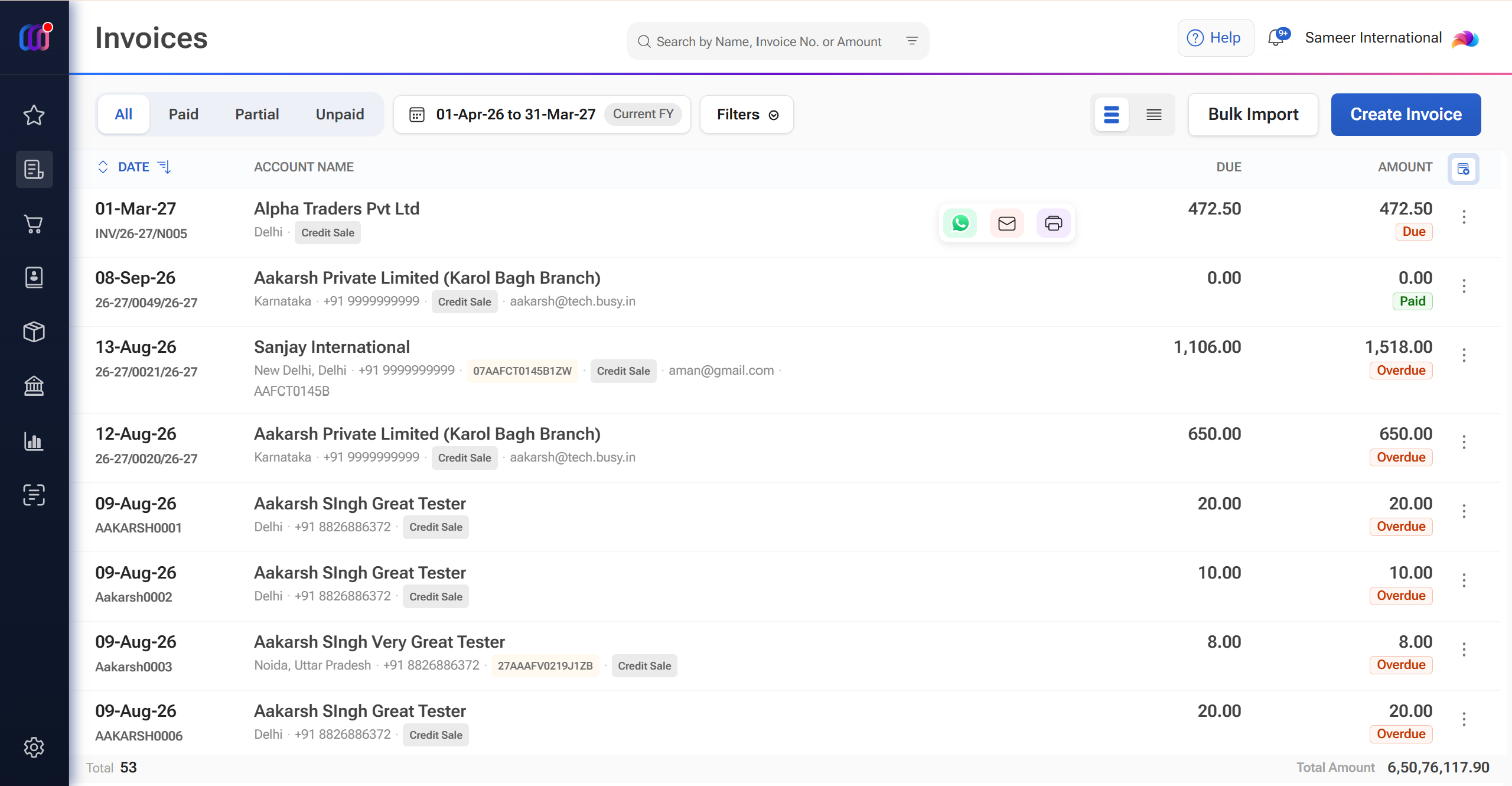
Everything you need for invoicing, before, during & after every sale.
Create, share, track and stay compliant, across phone, tablet and desktop, always in sync.
Every sales document your business needs.
From quotation to sales order, pro forma invoice, delivery challan and credit note, move through every stage without re-entering details. Convert an approved quotation into an invoice in a tap and keep your GST invoicing workflow connected from start to finish.
- Quotation with expiry
- Sales orders
- Pro forma
- Delivery challan
- One-tap conversion
Your invoice represents your business. Make it look like yours.
Choose from GST-ready invoice templates and customize them with your logo, colours, fields and layout. Add a digital signature for professional, audit-ready documents that carry your brand on every sale.
- 15+ templates
- Logo, colours & fields
- Digital signature
- No watermark on paid plans
Invoice sent. Payment link attached. Done.
Share invoices instantly via WhatsApp or email, including a UPI QR code and bank details. Your customer gets everything needed to view the invoice and make the payment without the usual back-and-forth.
- WhatsApp sharing
- UPI QR on invoice
- Bank details auto-filled
- Email + PDF
Sales return? Create a credit note in seconds.
Handle returns, discounts and billing corrections with GST-compliant credit notes linked to the original invoice. Your records stay connected, accurate and easier to reconcile.
- GST-compliant credit notes
- Linked to original invoice
- Quick corrections
- Easy sharing
GST billing, handled without the extra steps.
Create a GST invoice, generate IRN-based e-invoices and e-way bills, and validate HSN codes from the same workflow. mazu keeps the essential compliance steps connected, so you spend less time moving between systems.
- E-invoice with IRN
- E-way bill
- HSN validation
- Additional cess
Every invoice updates your books, automatically.
Create an invoice, and the related accounting entry is processed in the background. No duplicate data entry for routine billing, while your books stay updated as you sell. Export your data to BUSY or Tally whenever required.
- Automatic accounting entries
- AI bill scan
- Export to BUSY / Tally
Frequently asked questions about sales invoices
How Many Fields Can I Add to My Invoice?
You can add upto 5 optional fields.
Can I Edit an Invoice in mazu?
Yes, you can edit your invoice in mazu and add fields as your requirements.
Can I Share My Invoice via WhatsApp or Email?
Yes, you can share invoices with your clients via WhatsApp or email and create multiple copies.
How to make a retail invoice with mazu?
To make a retail invoice with mazu, enter customer details, add the purchased items, set the prices, apply taxes (if needed), and generate the invoice with a few clicks.
How Many Free Invoices Can I Generate in mazu?
mazu is a free billing software & you can generate 100 GST-compliant invoices per month for free
Does mazu save time when creating invoices?
Absolutely! mazu’s quick invoice creation feature helps you generate bills in seconds, improving efficiency in daily operations.