Free Online Ledger Management
Bring your business ledgers online with mazu, free to start.
Download free Ledger templates in Word, Excel, and PDF. Perfect for maintaining customer, supplier, or general business accounts. Easy to customise, printable, and ideal for accurate financial tracking across industries.
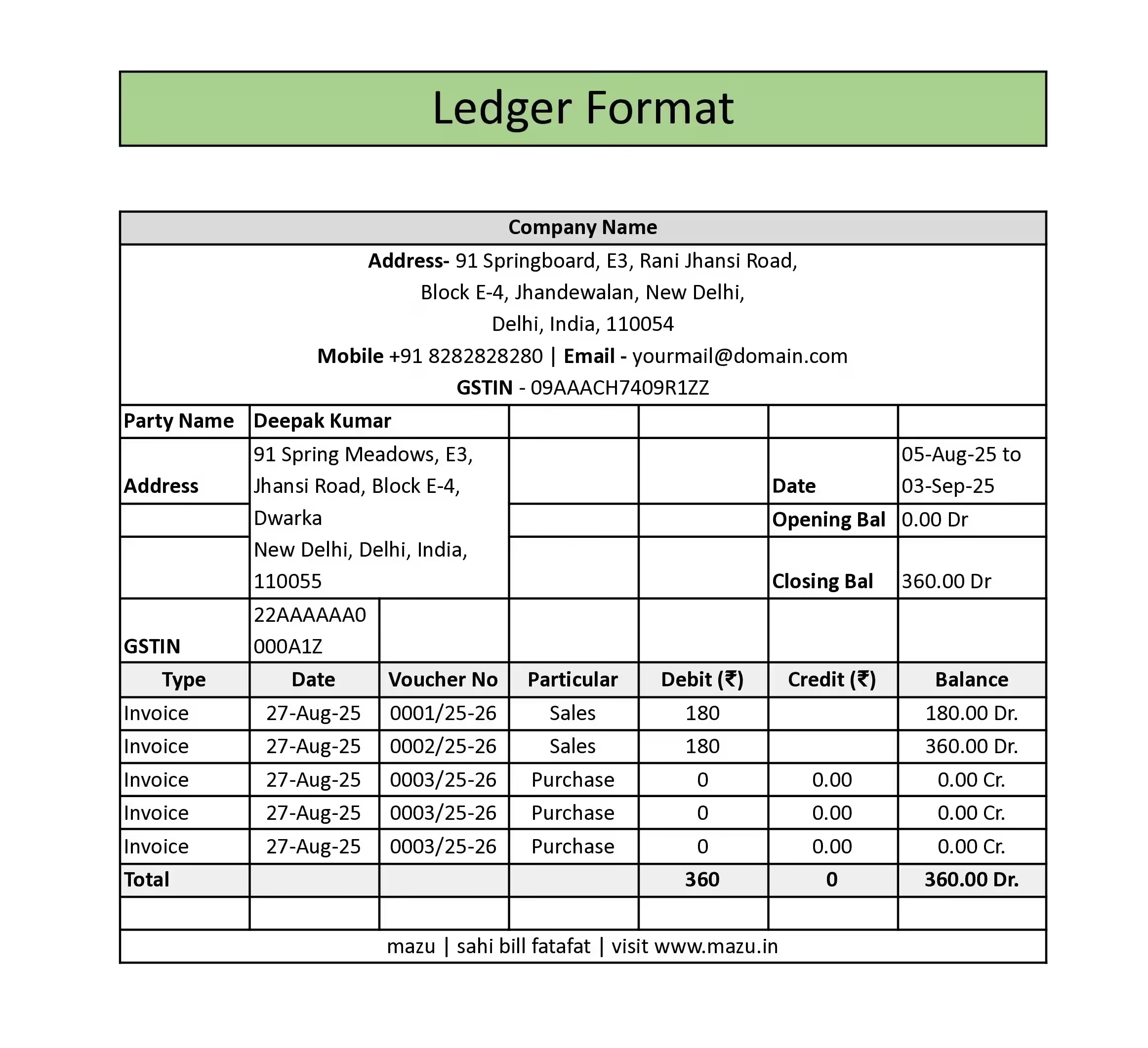
Move beyond separate files and get a clearer view of every account. With mazu, you can keep your customer and supplier ledgers organised in one place, ready whenever you need them.
Bring your business ledgers online with mazu, free to start.
Keep customer and supplier ledgers organised without juggling separate files.
Understand where each account stands at a glance.
Keep each party's ledger alongside its invoices and quotations.
Export your ledger in Excel or PDF whenever needed.
Send ledger records through WhatsApp or email in seconds.
Start with a ready-made layout that makes every account easier to update and review.
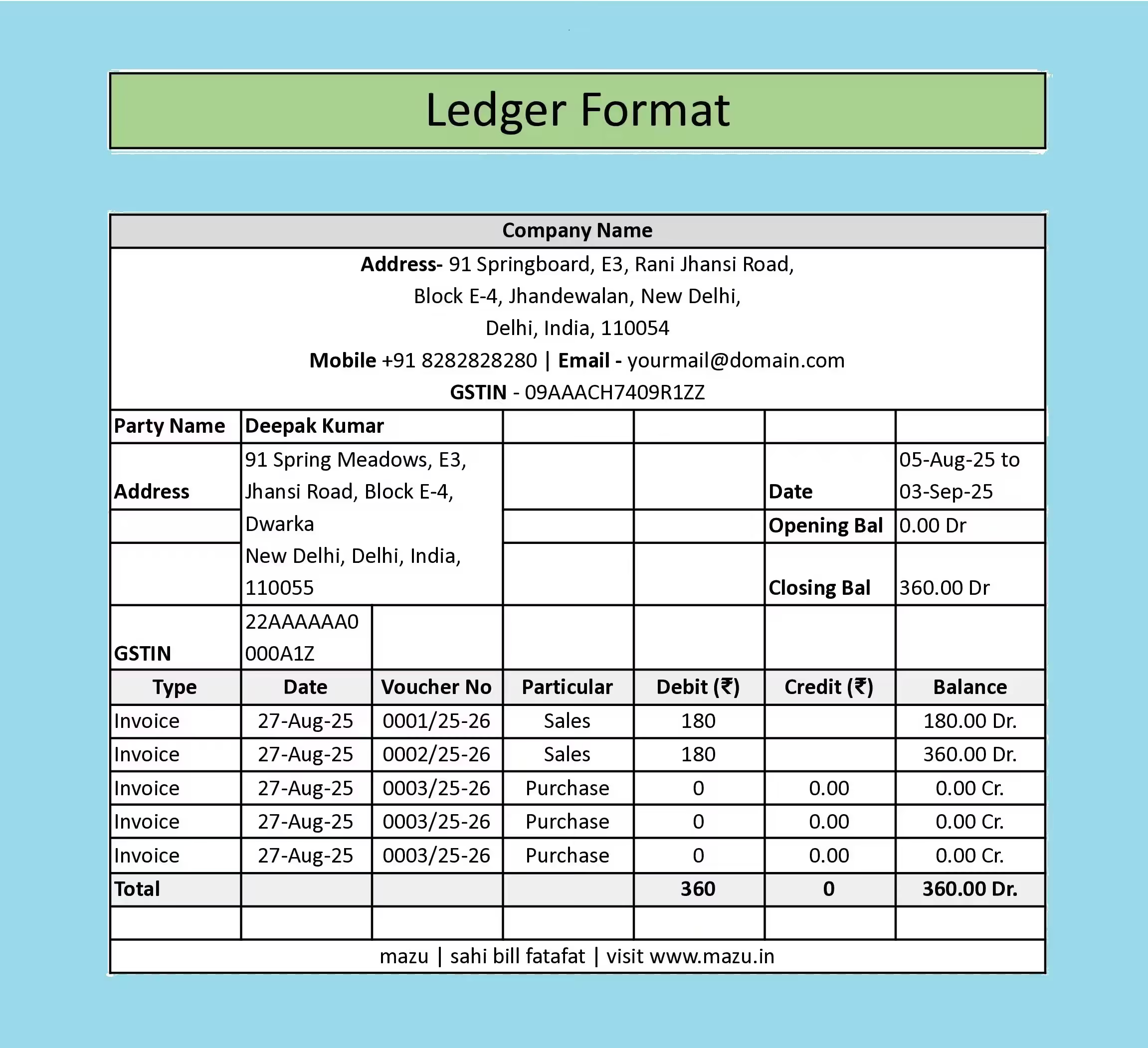
A ready-to-use layout that gives you a clear view of each party’s account over a selected period.
Get the template
Fill this in and your download starts instantly. No spam, just the file and the odd helpful tip.
By continuing you agree to be contacted about mazu.
Downloading now 🎉
Your template download has started. Want to skip the file and just bill?
Create invoices freeA clear ledger should make it easy to follow transactions and see how the account balance changes over time.
Best for entering and updating transactions regularly. Review the totals and balances after making changes.
Best for manually editing a short ledger statement before saving it as a PDF.
Best for printing or sharing a completed ledger in a fixed layout.
Keep customer and supplier ledgers with their invoices and quotations, all in one place.
Need another business document? Explore formats for invoicing, quotations, orders and goods movement.
A Ledger is a record of all financial transactions, organized into accounts for customers, suppliers, or business activities.
It helps track income, expenses, receivables, and payables, ensuring accurate accounting and compliance.
A Journal records transactions in chronological order, while a Ledger organizes them account-wise for easy reference.
Use Excel for regular updates, Word for manual editing and PDF for printing or sharing a fixed copy.
Yes, mazu allows you to download your ledger in Excel or PDF format easily. You can also share the file directly via WhatsApp or email.
Along with ledgers, mazu also allows you to generate various formats, including invoice templates, proforma invoices, delivery challans, and sales orders.
Yes, mazu allows you to create and manage ledgers for multiple clients or vendors from a single dashboard, along with their invoices and quotations.
Record each cash transaction in date order, with separate money-in and money-out columns. Maintain a running balance to show the cash available after every entry.
Include the date, transaction details, reference number, debit, credit and balance. Add an opening balance at the start and a closing balance at the end.
Dr means debit and Cr means credit. A debit balance often represents money receivable, while a credit balance may represent money payable, depending on the account.
Compare both ledgers for the same period, beginning with the opening balance. Match each transaction and resolve any differences before confirming the closing balance.
Yes. Related accounting entries are created as invoices are recorded, and account ledgers are available on both Free and Growth plans. Check mazu plans.
Free to start. No credit card needed.
GST-compliant · Made in India · From the makers of BUSY